Understanding Scams and Fraud
Listen to this guide
Prefer audio? Tap play to hear an AI-narrated version.
Tap play to listen — audio is generated by AI narration.
For your information
These guides are for educational purposes only. Technology changes quickly — we can't guarantee every step will work on every device. We recommend backing up your data before making changes.
Tech support scams (and how to stay safe)
Common examples you might see
- A pop-up that says you have a virus and tells you to call a number.
- A phone call saying your device is infected.
- A text message saying you must click a link to “fix” your device.
Red flags (warning signs)
- They rush you or create panic.
- They say only they can fix the problem.
- They ask for payment right away.
- They ask you to install an app for “remote help”.
- They ask for passwords, bank details, or gift cards.
What to do instead (safe steps)
- Do not call the number on a pop-up, text, or email.
- Do not click links you were not expecting.
- If you cannot close a pop-up: close your browser. If needed, restart the device.
- Call someone you trust or contact your usual support.
Quick safety rules
- Never pay with gift cards for tech support.
- Never share one-time codes (codes sent by text or email).
- If it feels urgent or scary, pause and ask a trusted person.
If you think you were scammed
- Stop talking to the person.
- Take a screenshot if you can.
- Tell a family member or trusted friend.
- Contact your bank or card company if you shared payment info.
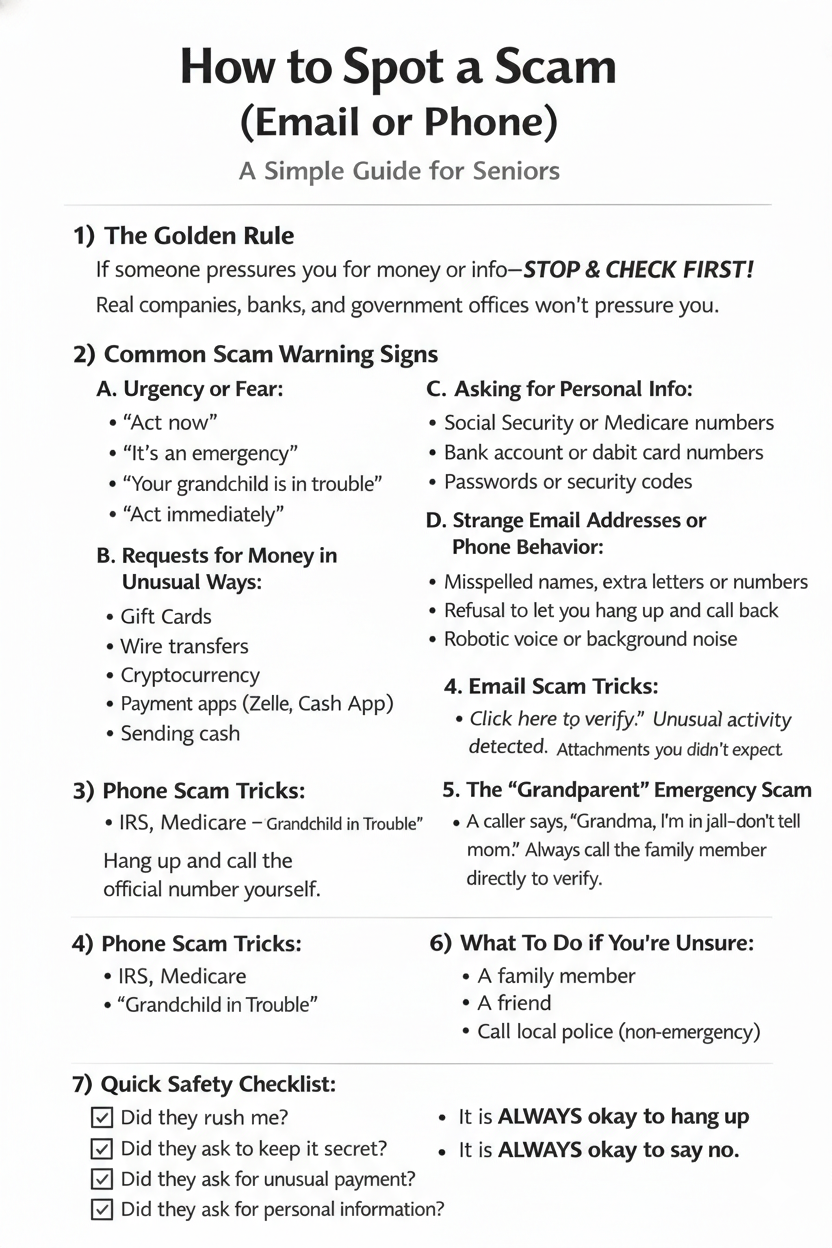
How to spot a scam (email or phone)
If someone pressures you to act fast, send money, or share personal information, stop and check first. Real companies, banks, and government offices will not rush you or threaten you.
Is it real or is it a scam?(5 quick checks)
If you are not sure, look for these 5 clues.
1) Emotional language
- It tries to scare you or rush you.
- It says you must act right away.
2) Sender’s contact info
- The email address looks strange.
- The phone number is unfamiliar.
- The caller will not let you hang up and call back.
3) Weird links or QR codes
- It asks you to click a link, scan a QR code, or download something.
- If you did not expect it, do not click.
4) Awkward language or typos
- The writing feels unnatural.
- The message has odd grammar or spelling.
Example to watch for: support@paypaI.com (the "l" can be a capital "i").
5) Brand details that feel “off”
- The logo, colors, or formatting looks slightly wrong.
- The message does not match what you usually receive from that company.
Check a message
Got a message you are unsure about? Paste it below and we will look for the same five warning signs shown on this page.
Include the sender's address or number if you have it. Leave out anything you would rather not share.
We do not save what you paste.
This is an automated guess to help you think it through — not a guarantee. When money or personal details are involved, always check with someone you trust.
Common warning signs
- Urgency or fear (“Act immediately”, “Your account will be closed today”).
- Unusual payment requests (gift cards, wire transfers, cryptocurrency, payment apps).
- Requests for personal information (Social Security number, Medicare number, bank details, passwords, one‑time codes).
- Strange email or phone behavior (misspellings, weird addresses, refusing to let you hang up and call back).
Example to watch for: support@paypaI.com (the “l” can be a capital “i”).
Phone scam tricks
Scammers may pretend to be the IRS, Medicare, Social Security, your bank, a relative, or tech support.
What to do
- Hang up.
- Look up the official number yourself.
- Call back directly.
Email scam tricks
Watch for messages that push you to click a link, open an attachment, or “verify” something.
Safe practice
- Do not click links in unexpected emails.
- Open your browser and type the company website yourself.
The “grandparent” emergency scam
If someone claims a family member is in trouble and asks for secrecy or immediate money:
- Call the family member directly.
- Call another relative to confirm.
If you are unsure
Pause and ask someone you trust.
- A family member or friend
- Your bank
- Local police non-emergency number
If you already sent money
Act quickly.
- Call your bank or credit card company.
- Report it at reportfraud.ftc.gov.
- Tell family so they can watch for more attempts.
Quick safety checklist
Before responding, ask:
- Did they rush me?
- Did they ask for secrecy?
- Did they ask for unusual payment?
- Did they ask for personal information?
If yes to any, it is very likely a scam.
Test yourself
Practice spotting real messages vs. scams with short quizzes on emails and texts. No timer—take your time and get instant feedback.
Try the Scam Mission